

Imagine arriving in a new country and, instead of hunting for a local SIM card, you simply scan a QR code to get online instantly. An eSIM compatible device works by having a programmable chip embedded directly into your phone, watch, or tablet, allowing you to download and switch between multiple carrier profiles without ever touching a physical card. This built-in flexibility means you can keep your primary number active while adding a temporary data plan for travel, eliminating the hassle of swapping tiny SIMs. To use it, you simply go to your device settings, scan a carrier's activation code, and your new line is ready within minutes.
What Makes a Device Ready for Digital SIM Technology
A device is ready for digital SIM technology when its hardware includes a permanent, embedded SIM chip (eUICC) soldered directly onto the motherboard, replacing the physical plastic card. This component must comply with GSMA specifications for remote SIM provisioning, allowing you to download, store, and switch between multiple carrier profiles without ever inserting a physical SIM. For genuine eSIM compatibility, the device's modem and firmware must also support profile management, enabling you to activate a plan by scanning a QR code or using a carrier app. Ready devices eliminate the need to hunt for a SIM tray. Common question: What is the core requirement for an eSIM-ready phone? Answer: A soldered eUICC chip that meets GSMA standards.
Core Hardware and Software Requirements
For your device to handle a digital SIM, it needs an embedded SIM chip (eUICC) soldered onto the motherboard. This hardware replaces the physical SIM tray. On the software side, your phone must run a recent operating system version—iOS 12.1 or later for iPhones, or Android 10+ with proper vendor support. Without these core components, the device simply won’t recognize or provision an eSIM profile.
eSIM vs. Physical SIM: Key Functional Differences
The core functional difference between eSIM and physical SIM lies in physicality versus programmability. An eSIM, being embedded, eliminates the need to insert, remove, or swap a card; profile switching is performed digitally via software. This enables a user to store multiple carrier profiles simultaneously and activate a new line without handling a plastic card. However, transferring an eSIM between devices is less immediate than moving a physical SIM—it usually requires deactivating the old profile and downloading it onto the new device. The logical setup sequence highlights this:
- Physical SIM: Insert card → immediate network registration.
- eSIM: Scan QR code or download profile → software activation → connection.
How Carrier Support Affects Device Compatibility
Even if your phone is technically eSIM-ready, its compatibility is completely tied to your carrier. Think of it like a key and a lock—your device has the slot, but the carrier holds the lock. Before buying, you must check their specific eSIM activation methods and supported plans. Carrier-specific firmware often dictates whether a device can actually unlock digital SIM features on their network. For instance, a phone you bought overseas might lack the necessary software from your local provider, forcing you to rely on a physical SIM instead. Always verify on your carrier’s site first.
Smartphones That Support Built-In Digital SIMs
Smartphones with built-in eSIMs eliminate the need for a physical SIM tray, allowing users to activate a cellular plan digitally. This is particularly useful for frequent travelers, as you can switch carriers by scanning a QR code or using a carrier app, without swapping tiny cards. A common practical question is: Can I use both a physical SIM and an eSIM simultaneously? Yes, most dual-SIM eSIM phones let you run a physical SIM for one line and an eSIM for another, managing both through the software. When choosing an eSIM-compatible device, verify it supports "dual active" mode to receive calls on both profiles concurrently, rather than only "dual standby," which pauses one line. Always check that your specific carrier officially supports eSIM provisioning for the model you intend to buy, as some devices only allow eSIM for certain regional firmware.
Flagship Models with Dual SIM Flexibility
Flagship models offering dual SIM flexibility through eSIM combine a physical nano-SIM slot with an integrated eSIM profile, enabling users to maintain two active lines without sacrificing a second physical slot. This setup allows seamless switching between a primary carrier and a secondary data or travel eSIM, managed directly in the device settings. The precise limitation is that only one eSIM can be active at a time alongside the physical SIM, though both profiles remain stored for instant activation.

- Supports one physical SIM and one eSIM concurrently for voice and data.
- Allows instant eSIM profile downloads for temporary travel or secondary lines.
- Enables carrier profile management without swapping physical cards.
Mid-Range Phones Offering eSIM Integration
Mid-range phones now include eSIM integration for dual-SIM flexibility without flagship pricing. For activation, users first locate the eSIM settings under the mobile network menu. Then, they scan a QR code provided by their carrier or manually enter activation details. After confirmation, they can assign the eSIM as primary for data and voice. To manage profiles, they navigate to the SIM manager, where they switch between physical SIM and eSIM slots or temporarily disable one profile for roaming.
Budget-Friendly Handsets with Digital SIM Features
For travelers or minimalists, a few budget-friendly handsets with digital SIM features let you switch carriers without swapping physical cards. Models like the Moto G Power 5G or Samsung Galaxy A15 5G include eSIM support, allowing you to load a second plan for travel or backup data right from the settings menu. You avoid hunting for a local SIM at the airport, instead activating a digital profile over Wi-Fi before you land. Most affordable eSIM phones keep the physical tray for your primary line, offering flexibility without breaking the bank.
Wearable Gadgets That Rely on eSIM Connectivity
Wearable gadgets that rely on eSIM connectivity let you stay connected without pairing to a phone. Smartwatches like the Apple Watch Series 9 or Samsung Galaxy Watch 6 use an embedded SIM to make calls, stream music, or send texts directly from your wrist. For runners or travelers, this means leaving your phone behind while still getting notifications. eSIM compatible devices like LTE fitness trackers also support standalone navigation and emergency calling. Setup is usually done through a carrier app on the gadget itself, avoiding a physical SIM swap. Battery life varies, but the freedom of a phone-independent wearable makes it practical for active users.
Smartwatches for Standalone Cellular Use
Smartwatches for standalone cellular use leverage eSIM technology to operate independently of a paired smartphone. This allows users to make calls, send texts, and stream data directly from their wrist, using a separate cellular plan. Key practical benefits include untethered fitness tracking during runs and emergency connectivity without carrying a phone. A critical consideration is battery life, as active cellular radios drain power faster than Bluetooth models. Users must ensure their carrier supports smartwatch eSIM activation and that the device’s standalone eSIM capability is confirmed before purchase. Compatibility also depends on the watch’s network band support for local carriers.
Fitness Trackers with Integrated Mobile Plans
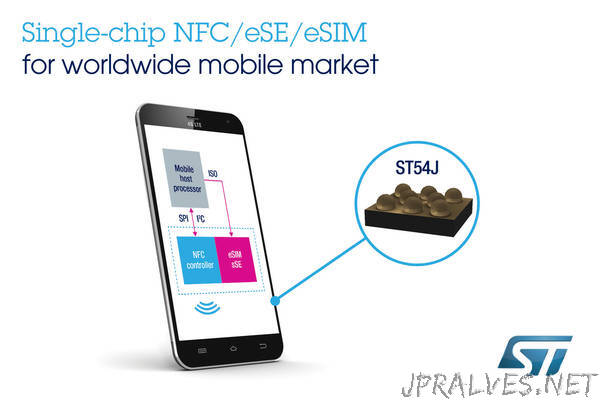
Fitness trackers with integrated mobile plans leverage eSIM connectivity to operate independently of a smartphone, enabling real-time GPS tracking, call handling, and emergency alerts during runs or swims. These devices streamline multi-day outdoor adventures by syncing health metrics directly to cloud platforms without requiring a paired phone. Battery life on such trackers often prioritizes standby efficiency for UK eSIM consistent cellular standby. The integrated plan typically offers a limited data pool for low-bandwidth activities like podcast streaming or split notifications, optimizing the wearable for athletes who prioritize lightweight, cord-free mobility.
Fitness trackers with integrated mobile plans use eSIM to provide stand-alone connectivity for GPS, calls, and data syncing during independent exercise sessions.
Tablets and Laptops with eSIM Capabilities
When you grab your tablet for a work trip, an eSIM means no hunting for a local SIM card at the airport. You simply scan a QR code from your provider and activate a data plan that same minute. For laptops, eSIM capabilities turn a bulky device into a truly mobile office. I once watched a colleague land in Berlin, open his laptop, and have internet access before the taxi reached the curb. Can you switch carriers on a laptop without a physical SIM? Yes—just like on a tablet, you download a profile and toggle between operators in the settings. That freedom lets you keep your home plan while adding a short-term local eSIM for spotty hotel Wi-Fi or last-minute video calls at a café.
Portable Workstations for On-the-Go Internet
A portable workstation for on-the-go internet integrates an eSIM to eliminate reliance on local SIM cards or unsecured public Wi-Fi. These devices, typically high-performance tablets or laptops, allow immediate activation of a data plan from multiple carriers, ensuring continuous connectivity during travel or remote fieldwork. Users can switch profiles without hardware removal, maintaining secure access to cloud tools and VPNs. The battery and build are optimized for prolonged, untethered operation. Reliable mobile connectivity is guaranteed by selecting a local eSIM profile for optimal signal strength, avoiding throttling or dead zones common with roaming.
A portable workstation with eSIM provides instant, carrier-independent internet access, enabling secure, flexible productivity without physical SIM swaps or public network risks.
Slates and Convertibles with Embedded SIM Slots

Slates and convertibles with embedded SIM slots offer seamless, always-on connectivity, liberating users from Wi-Fi dependence. In slates, the eSIM enables instant carrier profile switching for data plans and messaging without a physical card. Convertibles (e.g., Surface Pro, Lenovo Yoga) leverage this for corporate VPN authentication and persistent online backups during travel. This feature ensures persistent mobile broadband in hybrid devices, allowing uninterrupted productivity in transit or remote locations. The eSIM slot also simplifies multi-carrier management, avoiding swapping nano-SIMs.
Slates and convertibles with embedded SIM slots provide always-on cellular access and effortless carrier switching, making them ideal for professionals and travelers requiring constant connectivity.
Routers and Mobile Hotspots Designed for Digital Networks
Routers and mobile hotspots designed for digital networks now integrate eSIM technology to eliminate physical SIM cards for connectivity. These devices allow users to activate data plans directly through software, enabling seamless switching between network providers without swapping hardware. A strong advantage is their ability to maintain persistent connectivity across multiple carrier profiles, which is critical for remote work or travel. Dual-active eSIM slots in premium hotspots support simultaneous active connections for load balancing or failover. However, not all eSIM-compatible routers offer full carrier profile management via their web interface, sometimes requiring a companion app instead. Embedded eSIM chips further ensure durability against physical wear compared to removable SIM trays, ideal for ruggedized mobile hotspots.
Portable Hotspots for Travelers
For travelers, a portable hotspot like the GlocalMe G4 Pro or Skyroam Solis provides a dedicated Wi-Fi network without swapping SIM cards, leveraging its eSIM to connect to local towers in over 130 countries. These devices allow you to link up to ten gadgets—laptops, tablets, cameras—ensuring consistent, private internet access during road trips or international flights. You manage data plans through a companion app, buying daily or monthly packages that activate instantly upon arrival. This setup eliminates roaming fees and physical SIM hunting, making eSIM roaming for travel a seamless, hardware-controlled experience that keeps your primary phone’s slot free for other uses.
Home Broadband Devices Using Embedded Chips
Home broadband devices using embedded chips integrate a soldered eSIM to replace physical SIM trays for internet connectivity. These routers allow users to activate a data plan directly through a carrier’s platform without inserting a card. eSIM-equipped home routers simplify switching between providers by downloading new profiles remotely, ideal for temporary setups like vacation homes or rental units. Unlike mobile hotspots, these devices often lack battery packs and rely on constant power, ensuring stable connectivity for smart home systems. To set up a standard model:
- Locate the eSIM activation code on the device label or box.
- Use the router’s app or web interface to enter the code and download the carrier profile.
- Confirm the network connection by checking the LED indicator for a steady signal.
How to Verify if Your Device Can Use an eSIM
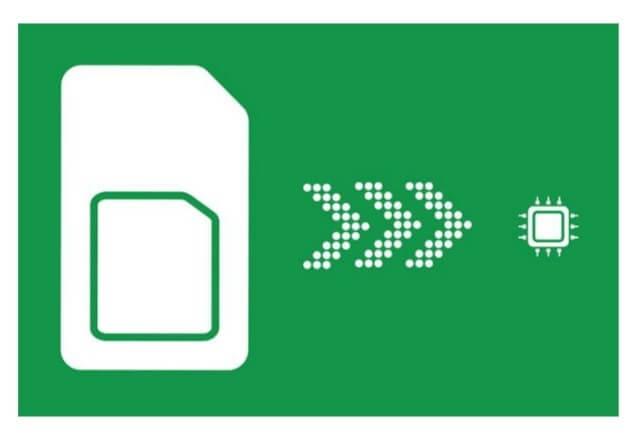
To verify if your device can use an eSIM, first check the official specifications on the manufacturer’s website or in your device’s settings menu. Look for "About Phone" or "General" and search for an IMEI number, as eSIM-compatible devices typically have an EID (Embedded Identity Document) listed there. Alternatively, dial *#06# to see if an EID appears alongside the IMEI. How to verify if your device can use an eSIM also involves visiting your carrier’s compatibility page; most major providers have a tool where you enter your IMEI to confirm support. A definitive sign is a dedicated eSIM slot in the SIM tray or an option to "Add Cellular Plan" under Mobile Network settings, ensuring your hardware qualifies as eSIM compatible devices.
Checking Settings and IMEI Information
To verify eSIM compatibility, start by navigating to your device’s settings menu. On most phones, this involves going to "Settings" > "About Phone" or "General." Locate the IMEI number; if your device supports dual SIMs, you will see two IMEIs. Cross-reference this number using your carrier’s online compatibility checker or dial *#06# to display it. Checking the IMEI number is a definitive method to confirm eSIM support, as the second IMEI specifically indicates a dedicated eSIM slot.
Checking Settings and IMEI Information involves locating the IMEI via device settings or dialing *#06# to confirm eSIM support through a second IMEI number.
Using Online Compatibility Checkers
Using an online compatibility checker is the fastest way to see if your phone works with eSIM. Simply visit your carrier’s website or a trusted third-party tool, then enter your device’s IMEI number—usually found in your settings by dialing *#06#. The tool instantly scans its database to confirm eSIM activation eligibility. Results are typically immediate, so you’ll know within seconds if your device can switch. While this method is convenient, double-check with your carrier if the tool gives an unclear answer, as some checkers only cover major models.
Frequently Asked Questions About Device Eligibility
People frequently ask if their phone is eSIM-ready. The simplest way to check device eligibility is to dial *#06#; if you see an EID number, your handset supports it. Many also wonder about older models—generally, iPhones from the XS onward and most recent Android flagships are compatible. Another common question involves locked phones: a carrier lock often blocks eSIM activation for a different network, so you’ll need to unlock the device first. Remember, you can often have one physical SIM and one eSIM active, which is great for travel, but always confirm eSIM compatible devices with your specific manufacturer before purchasing a plan.
Can I Switch from a Physical SIM to a Digital One?
Yes, switching from a physical SIM to a digital one is straightforward on most eSIM compatible devices. Your carrier typically provides a QR code or app to download the eSIM profile, which activates instantly without needing a new card. You can usually keep your same number and plan during the transition. However, ensure your device is unlocked and supports this feature before starting the process.
- Request an eSIM activation kit or QR code from your mobile carrier.
- Back up your current physical SIM data, as some carriers require deactivating it.
- Follow on-screen prompts in your device’s settings to scan the QR code and confirm activation.
- Keep your physical SIM as a backup until the eSIM is fully working.
What Happens to My Number When I Change Devices?
When you switch to a new eSIM-compatible device, your phone number stays with you. You simply transfer the existing eSIM profile—a process that usually involves scanning a QR code or logging into your carrier account—to the new handset. Your number remains active and unchanged throughout this migration. The old device’s eSIM profile is deactivated automatically or manually removed. No physical SIM swap or store visit is needed for this shift.
Your existing phone number is not lost or reassigned; it seamlessly moves with your eSIM profile to any compatible device you activate.
Are eSIMs Locked to Specific Carriers?
Whether an eSIM is locked to a specific carrier depends entirely on the device's purchase origin and its carrier policy. Most carrier-sold smartphones have a carrier lock on the eSIM identical to the physical SIM slot, meaning you cannot switch providers until the device is unlocked. A factory-unlocked eSIM compatible device offers full freedom to switch between supported carriers without restriction. Even on an unlocked phone, your chosen carrier must actively support eSIM provisioning for that specific model. For example, a Verizon-locked iPhone restricts eSIM activation to Verizon, while an unlocked Pixel requires the new carrier’s eSIM profile.
